Stickies, frames and connectors on an endless canvas. Everyone adds ideas at the same time, sees each other’s cursors, and dot-votes on what matters.
Watch ideas land as they’re written.
Share a link and people are in, with nothing to install. Every sticky, move and comment shows up for everyone straight away.
Live, named cursors
See who is where. Stickies glide as others drag them, not after they let go.
One link to join
Anyone with the link can watch; signed-in people add, vote and comment. Or make it invite-only.
Who’s here, at a glance
Avatars in the top bar show everyone in the room, with facilitators marked.
01
Everything you need on one canvas
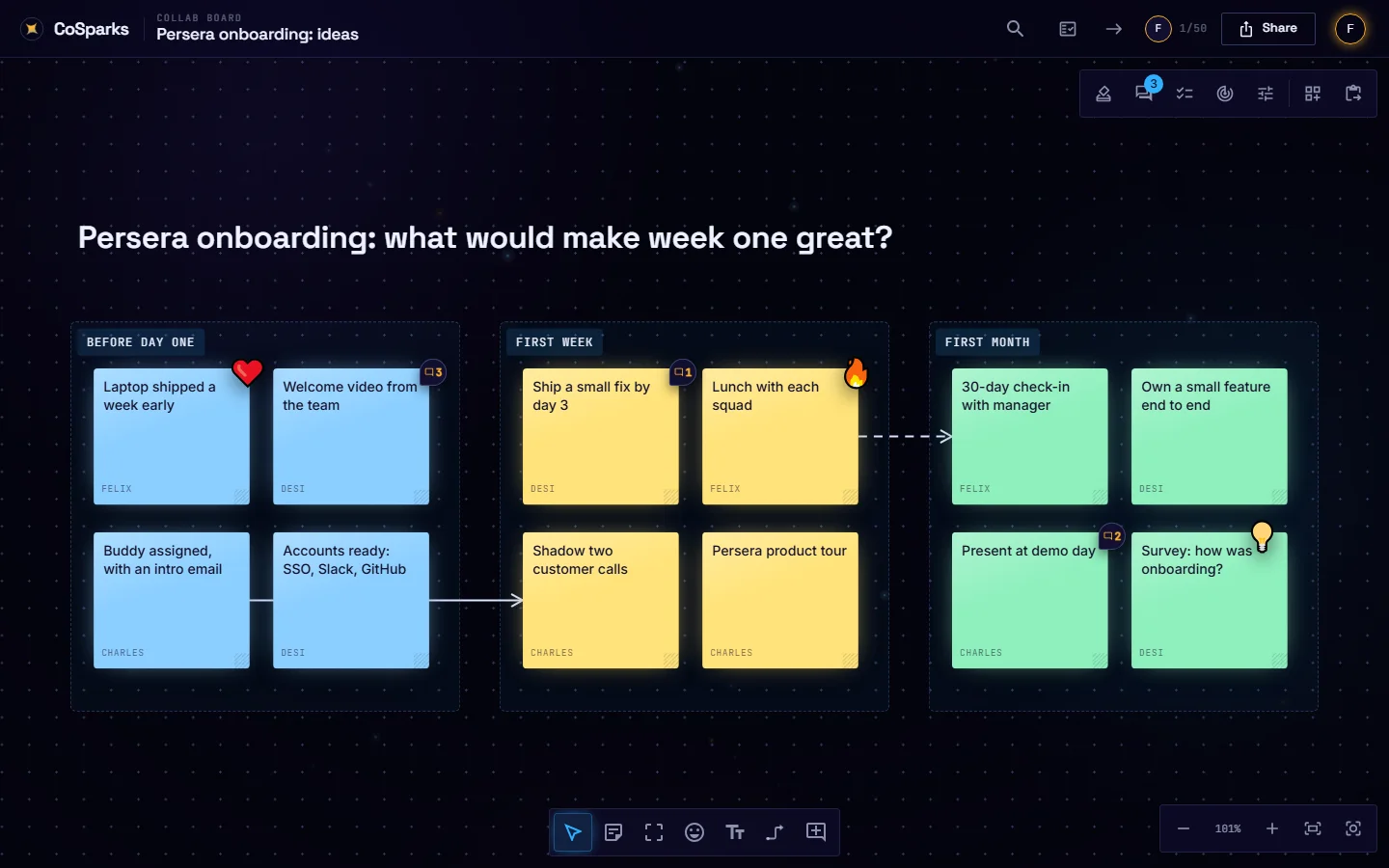
Sticky notes in eight colours, frames to group them, text, stamps and connectors. Sketch a quick flow or map a whole problem.
Straight, elbow or curved connectors that follow the stickies they join
Frame a selection with one key, and copy any selection as a list
Undo for deletes and moves, and a shortcut for every tool
02
Start from a proven template
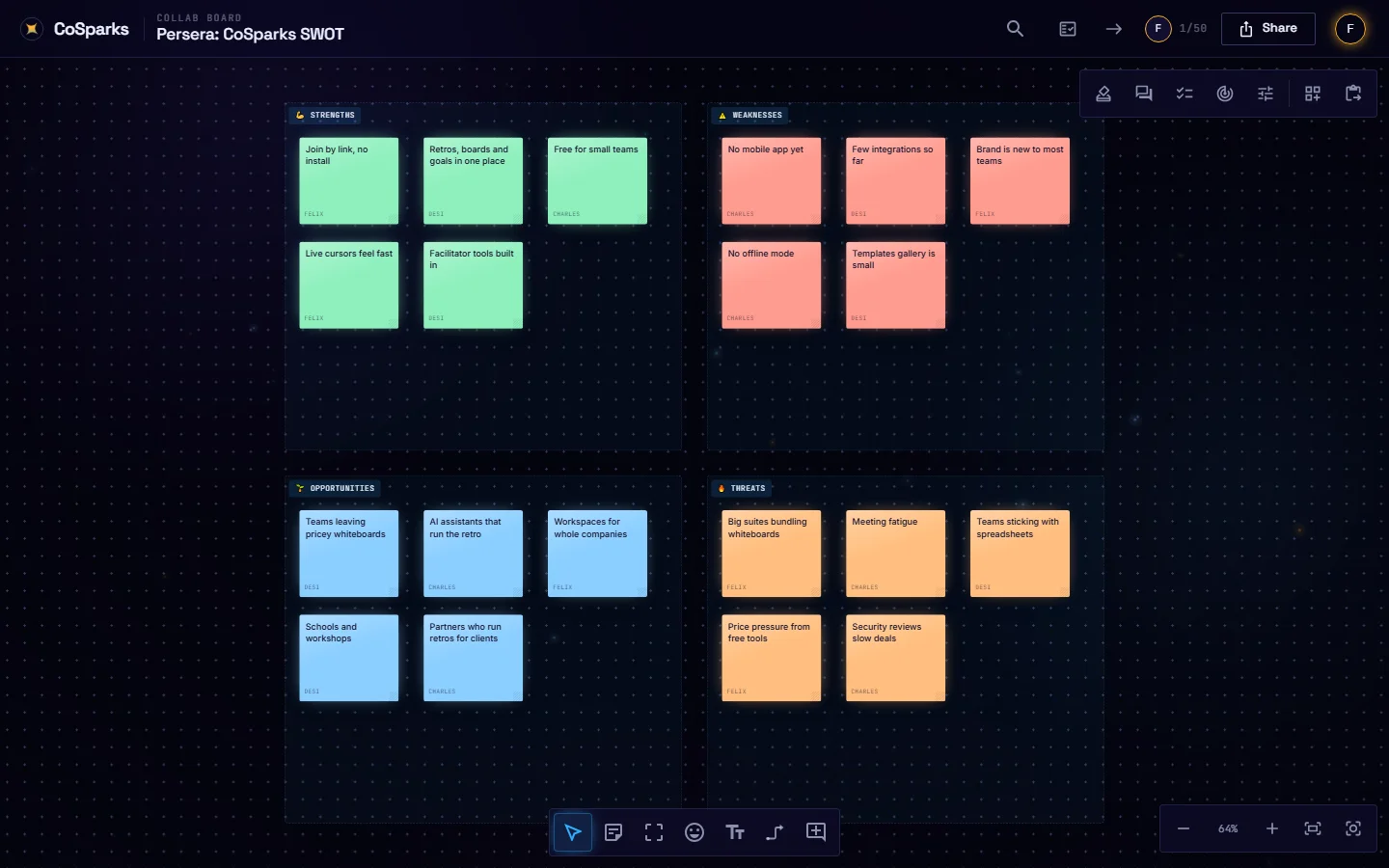
Skip the blank canvas. Lay out a priority matrix, a SWOT or a How Might We session in one click.
2×2 priority matrix: impact against effort
SWOT analysis
How Might We, in four steps from problem to next steps
03
Dot voting without the groupthink
Open a round and everyone gets the same number of dots. Nobody sees the totals until you reveal them, so votes stay honest.
From 1 to 20 dots per person, and a fresh round any time
See who still has dots left, without seeing where they went
Combine look-alike ideas, so their votes aren’t split
04
Talk it through on the idea itself
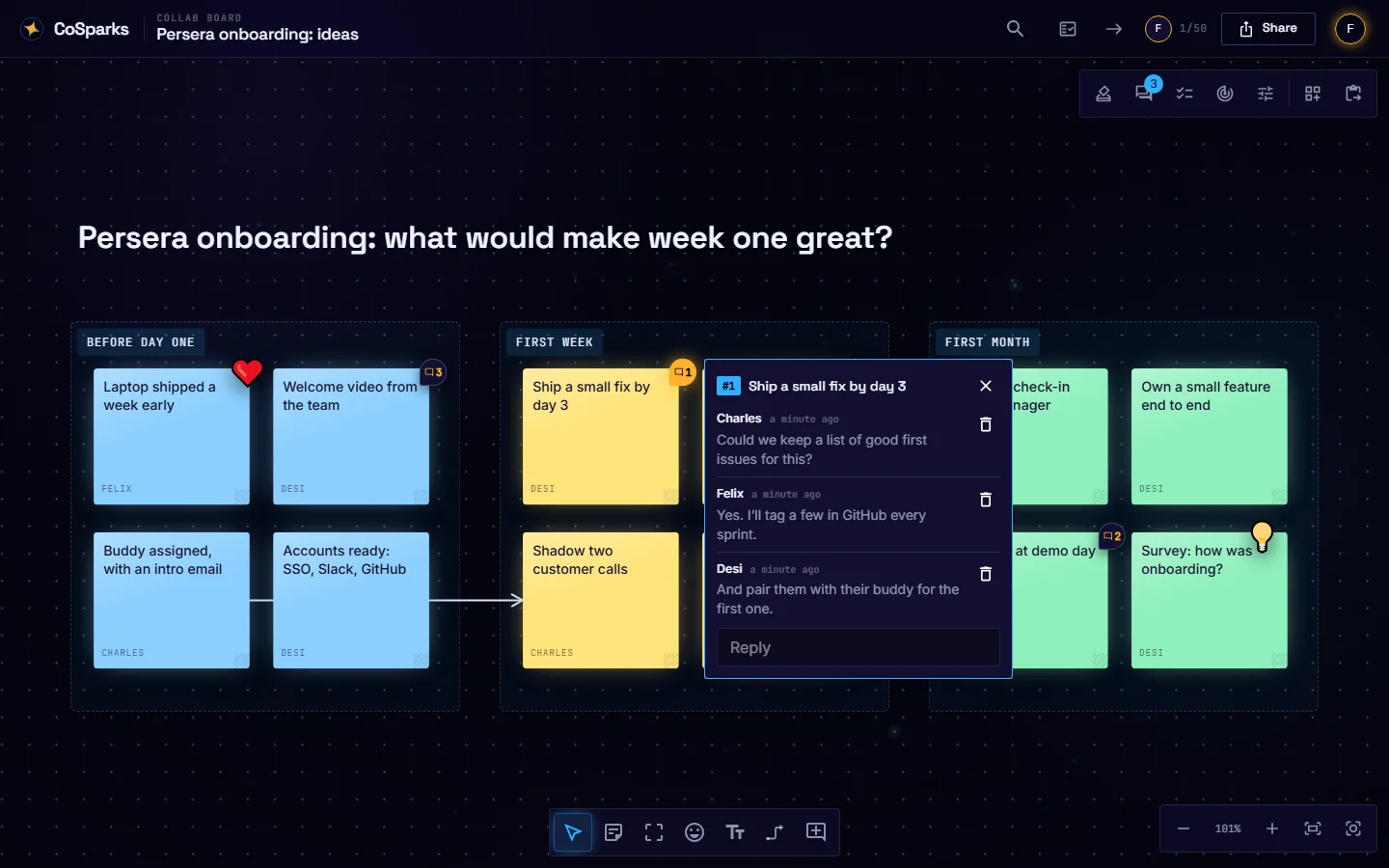
Pin a comment to a sticky or anywhere on the canvas. Threads stay where the conversation started, with numbered pins to find them.
Replies in threads
Jump from the comment list to its spot on the board
05
Leave with decisions, not just stickies
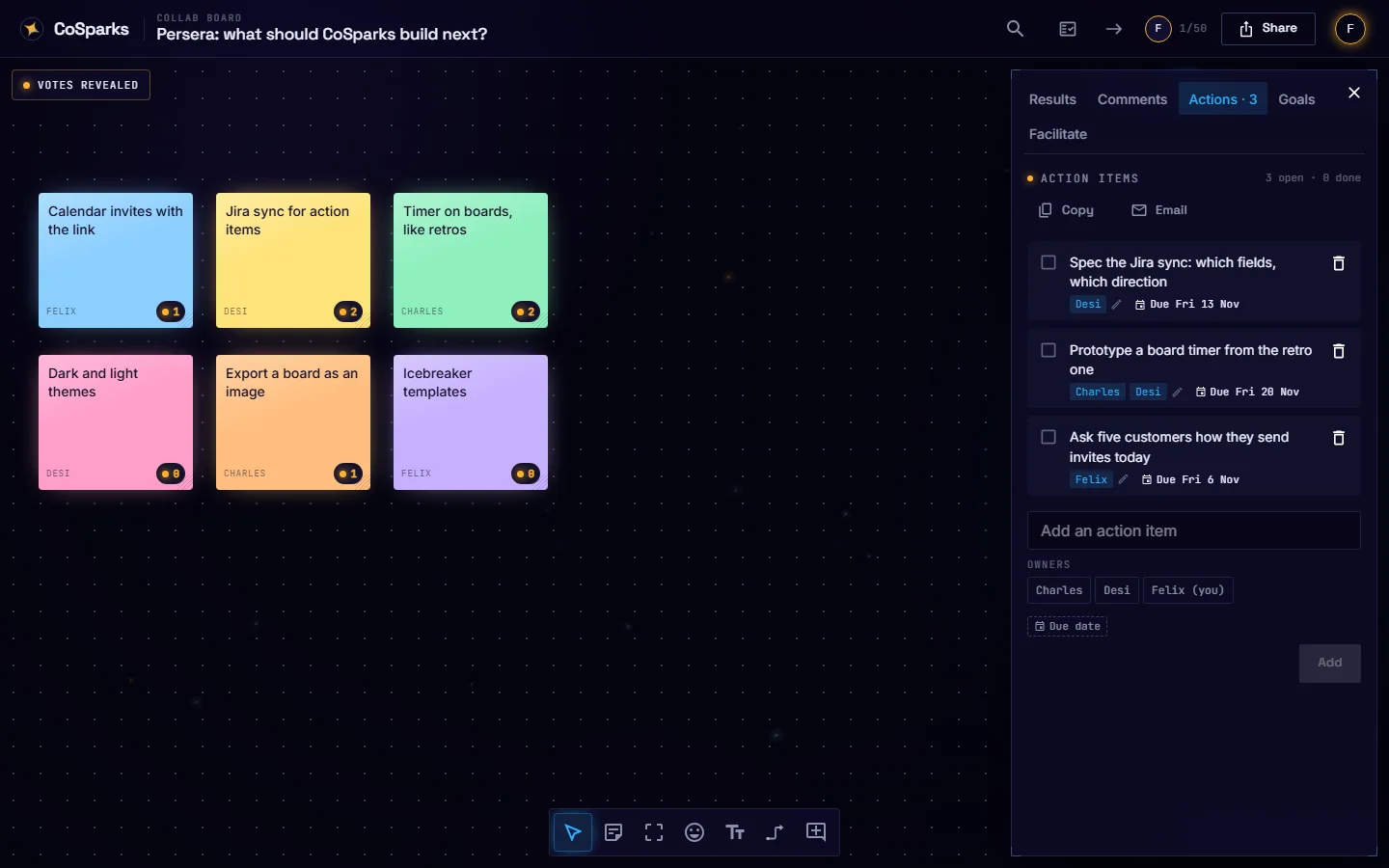
Turn a winning idea into an action item with owners and a due date. Copy or email the list before everyone logs off.
Owners and due dates on every action
Conclude to lock the canvas, or download the board as Markdown
Run the session, not the software.
Hide authors
Take names off stickies and cursors when people need to speak freely.
Voting rounds
Collect, then reveal. CoSparks warns you if people are still writing when you open voting.
Conclude and lock
Freeze the canvas when you’re done. Comments, dots and actions stay open.
Send everyone onward
Move the whole group to the next space in one click. People who join late see where to go too.
Session wrap-up
One page with the top ideas, most-voted cards, goal progress and every action item from the session. Copy it or email it.
More tools from CoSparks
Your next workshop starts with a link.
Free for up to 6 people at once. Anyone you invite joins free.